

Property Photography & Content Brief Builder
Give every image a reason to exist.
Five Excel tabs, a 19-page guide with five fillable worksheets, eight editable brief structures and four fictional sector examples.
Cover concept shown. Available now. Purchase and digital delivery are handled by the linked storefront.
A brief that gives every shot a job.
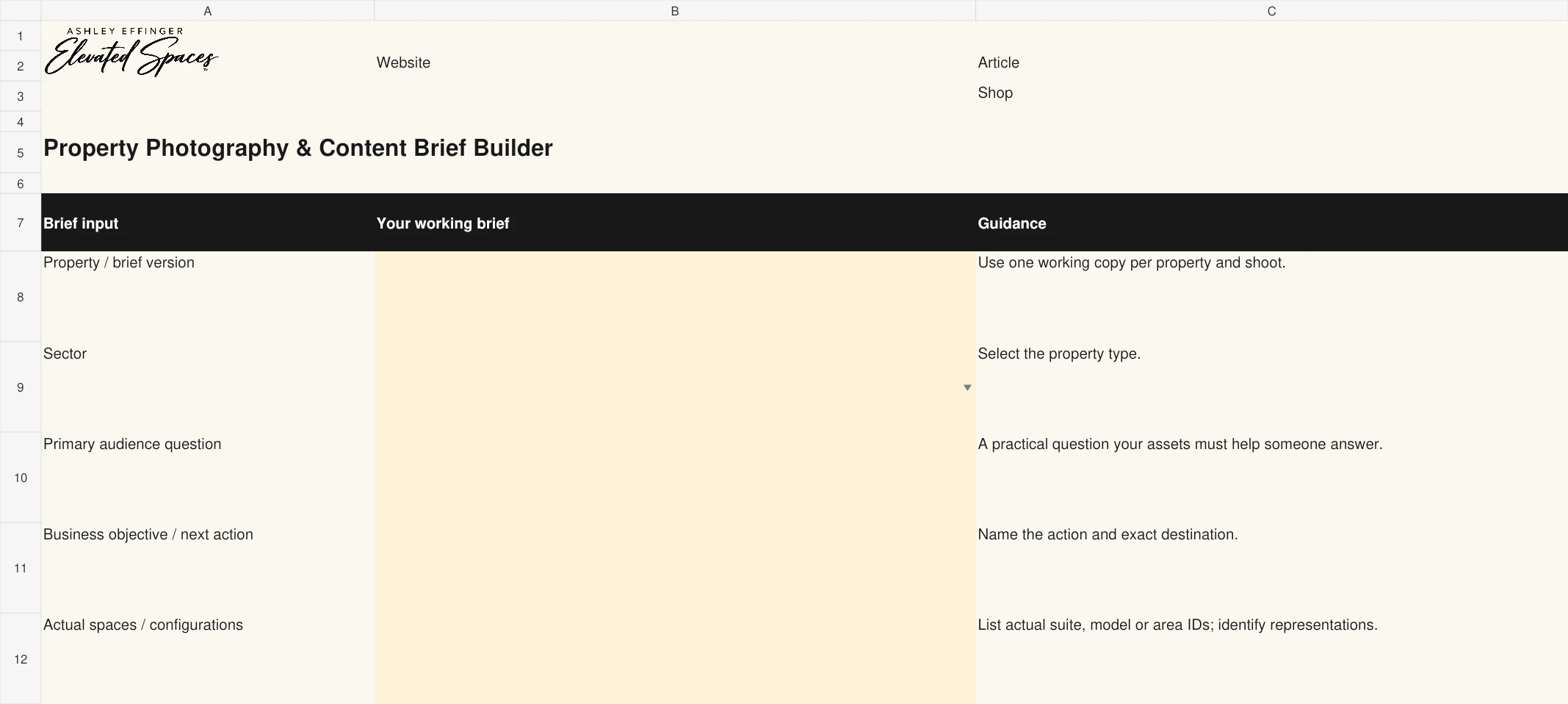
Actual Creative Brief worksheet from the Excel workbook. Open the image to read it at full size.
See the decision in practice.
Illustrative completed example, not a client result.
- Audience question
- Can I work from this apartment without using the dining table?
- Evidence to capture
- Photograph the actual desk alcove with a desk and chair for scale. Identify the unit and show the relationship to the living space.
- Business objective
- Help the prospect evaluate the layout and continue to the matching floor-plan page.
- Production handoff
- Request a horizontal website image and a separate vertical crop. Check permissions, accuracy and final approval before publishing.
The workbook organizes your brief, shot list, asset register and usage plan. Photography, design production and automatic publishing are not included.
A useful question.
A practical next action.
Turn prospect questions into purposeful shot lists, clear creative briefs and organized asset handoffs.
Use one working copy per shoot at the licensed property. Connect each frame to a question, record its context and permissions, then approve the actual destination version. Excel .xlsx is primary; PDF worksheets require an AcroForm-compatible reader. No stock images, photography, image generation, photo hosting or third-party usage rights are included. This is a planning record, not legal rights clearance. No automatic publishing, CRM integration, native Google Sheets or Canva template. One purchasing team may adapt the files internally for one property and share resulting property-specific briefs with production vendors. No source-file resale, redistribution, client-service reuse or multi-property use.
Inside the download
- 30 shot-planning records for questions, spaces, evidence, priorities, owners and capture references
- 30 asset records for filenames, configurations, sources, representation and documented usage references
- 24 destination and approval records for formats, crops, captions, alt text, disclosures and delivery
- 19-page PDF guide with five fillable worksheets, 30 text fields and 10 checkboxes
- Eight editable brief structures and four distinct multifamily, office, retail and mixed-use examples
Who it is for
Multifamily and commercial property teams commissioning photography, refreshing galleries and coordinating creative production.

Your Photography Brief Should Start With a Leasing Question
Give each image an information job before you commission the shoot, then plan how the finished asset will be used.
Read the articleContinue with the articles.
Keep the work connected.
Choose a companion only if it fits the next decision you need to make.
Multifamily Content Vault
Turn useful property questions into content with evidence, a clear purpose and a next step.
Commercial Leasing Campaign Planner
Coordinate the brief, channels, broker handoff, inquiry follow-through and results for one commercial property campaign.
Need a property-specific plan?
Pair your self-guided tools with strategic support for your property or portfolio.
Work with Ashley