
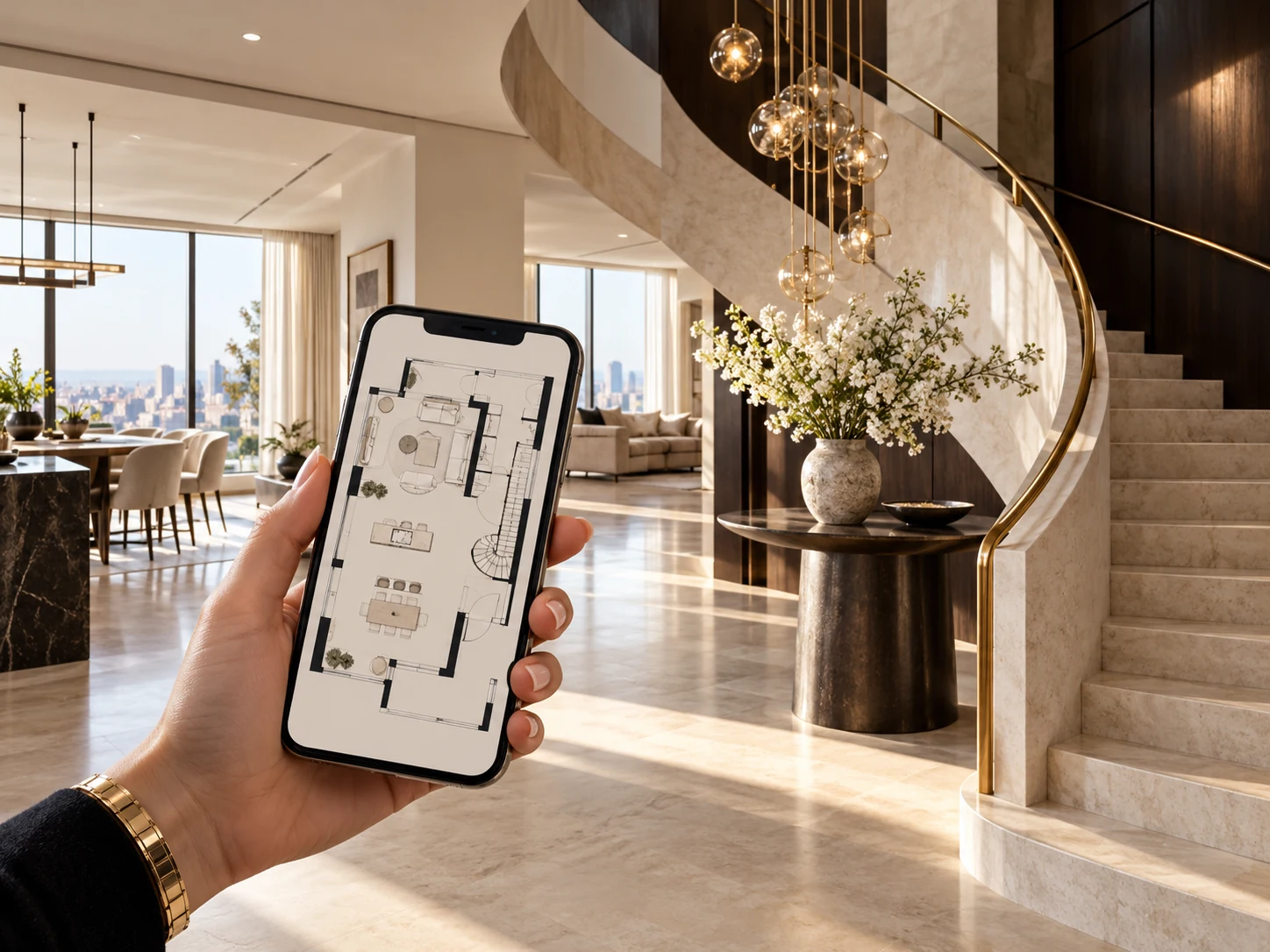
Audit the route people are actually taking
“The website needs a refresh.”
Possibly. Or the advertisement for a specific layout is sending people to a gallery of several unlabeled homes while the inquiry form forgets what they were looking at.
A new homepage hero will have a difficult time fixing that.
Start with one real campaign link, one available floor plan and one practical task. Follow the route without using your internal knowledge to fill the gaps. The first consequential failure is your brief.
Choose one currently available layout and one actual campaign route. Record the exact link, the device used and the question the visitor is trying to answer.
A practical task might be understanding the layout, checking current availability and requesting a relevant appointment.
Open the route as a first-time visitor would. Do not use saved bookmarks or internal shortcuts.
Follow the experience without narrating missing information to yourself. The fact that the team knows where something lives does not establish that a new visitor can find it.
This small audit creates a more useful starting point than a general request to improve the site. It identifies a particular journey, a particular question and the first place the experience stops making sense.
Keep the promise intact after the click
When the ad names a layout, the destination should make that layout recognizable. Continuity is a practical requirement, not a visual flourish. A renter should not need detective training to compare your homes.
Review the practical details needed for evaluation. Dimensions, configuration differences, relevant costs, availability context and image qualifications may all matter, depending on the property.
Identify which information is absent and which is present but difficult to interpret.
Do not assume a prominent button resolves missing context. A visitor may be willing to inquire but still need enough information to know which home to ask about.
The path should support an informed conversation rather than transfer every basic explanation to leasing.
For an illustrative example, an advertisement for a specific layout might land on a gallery containing several homes without clear labels. The first correction is continuity: identify the represented layout and provide the relevant plan.
Another homepage headline would leave that gap intact.
Do not approve a redesign until you can name the journey it needs to improve.
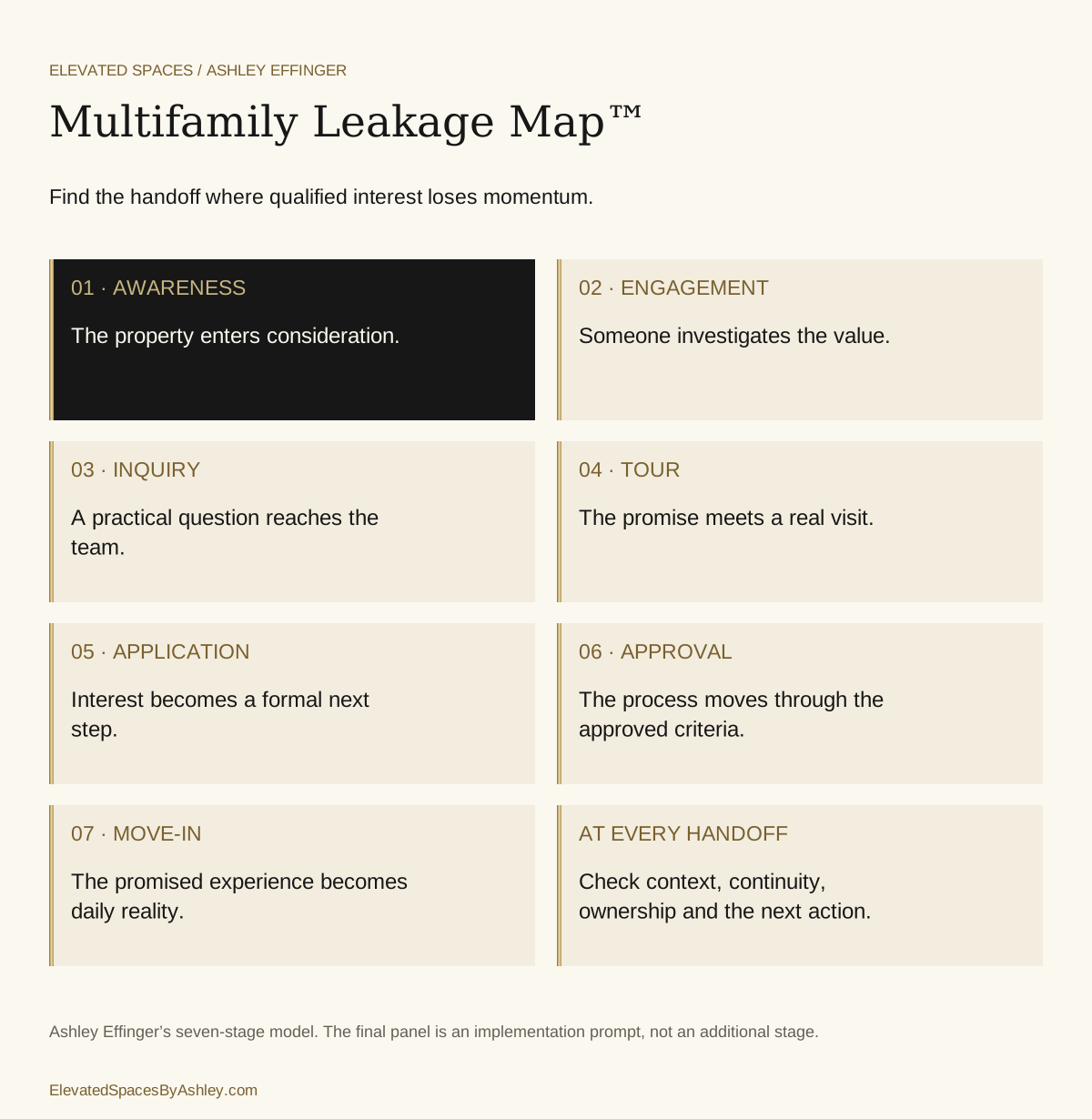
Map the handoff: Use Ashley Effinger’s Multifamily Leakage Map™ to trace where awareness, engagement, inquiry and the onsite experience lose continuity. The seven-stage visual appears directly below.
Read the framework as text
Multifamily Leakage Map™. 01 · AWARENESS: The property enters consideration.. 02 · ENGAGEMENT: Someone investigates the value.. 03 · INQUIRY: A practical question reaches the team.. 04 · TOUR: The promise meets a real visit.. 05 · APPLICATION: Interest becomes a formal next step.. 06 · APPROVAL: The process moves through the approved criteria.. 07 · MOVE-IN: The promised experience becomes daily reality.. AT EVERY HANDOFF: Check context, continuity, ownership and the next action.
Check what reaches the human at the other end
An inquiry form can work technically and still lose the context that makes the response useful. Confirm the route, information and owner through a labeled team test.
Check the confirmation from the visitor’s perspective. Does it explain what happens next?
If it offers scheduling, can the visitor complete that step? If the team must respond, is there an agreed owner and coverage plan?
Record the actual behavior instead of assuming the form integration works because it once did.
Review the mobile experience while using the route. Look for obstructed controls, unclear labels, difficult plans and unnecessary navigation.
A simple content correction may solve the problem; other issues may require the site provider or platform owner.
Keep a short evidence record with the step, observed problem and proposed correction. Specific observations make the handoff to design or operations clearer than broad judgments such as “the user experience feels dated.”
How do you audit a multifamily website for conversion?
Define a successful task, then follow one real campaign link through availability, floor-plan details, inquiry or booking, confirmation and the receiving team. Test on desktop and a real phone. Record the URL, device, date, observed behavior and evidence for each gap.
Separate untested checks from failures. An unavailable measurement is not a zero, and a thank-you page does not establish that leasing received the inquiry. Use a clearly labeled, authorized team test to verify the handoff.
Give each repair an owner and an observable success condition. Repeat the same route after deployment. Review coverage describes how much you tested; it is not a conversion forecast.
Search visibility has a related but separate job. Preserve accurate titles, canonical URLs, index eligibility and structured data that matches visible content. A valid schema result does not establish that a prospect can complete the leasing task.
Fix the first consequential gap
Prioritize accuracy, blocked actions and missing explanations before polishing the page around them. A smaller correction tied to a real failure can deserve attention before a much larger redesign.
Assign an owner and retest the same route after the correction. Use the original task so the team can compare the experience fairly.
If the issue persists, identify what the first fix failed to address rather than opening a completely new design discussion.
Keep a record of changes that may affect interpretation later. If pricing, availability and creative all change at once, avoid claiming that the route correction alone explains a subsequent outcome.
The direct verification is that the observed problem was resolved.
The Website Conversion Audit organizes this review into 36 checks, an evidence record and a repair register. Start with one home, one route and one question. The Website Conversion Audit is now available as a digital download, with the 36-check workbook, fillable guide and editable repair briefs.
A more coherent floor-plan journey can be an achievable improvement while larger website ideas wait for a clearer brief.
Leasing Follow-Up Toolkit
Carry the leasing conversation forward with a relevant answer, a clear owner and a useful next step.
Get the Follow-Up ToolkitRelated published work
Continue with Ashley’s original articles. This website companion focuses on practical implementation.
- PPC Clicks Don’t Lease Apartments. Alignment Does. · Elevated Spaces on LinkedIn
- One Floor Plan, Five Personas: The Campaign Strategy Hiding in Your Inventory · Multifamily Insiders